
Sam, 15Front-End project
IT-Expert · Ages 14-17
Teenagers explore different areas of technology, from programming and data science to software testing and 3D design. Through practical projects, they discover what interests them most and build a portfolio of their work.
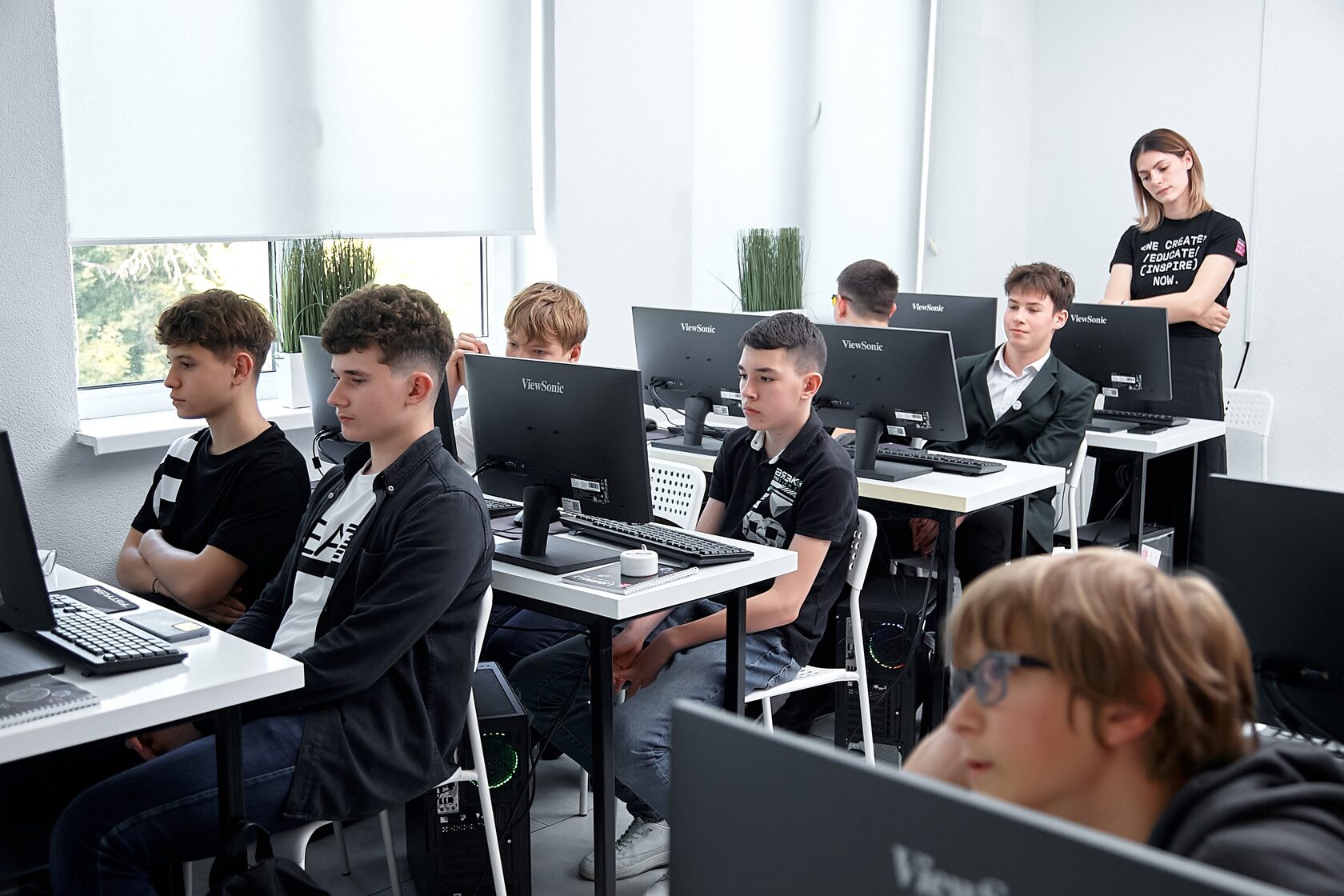
Students learn to plan, build, test and improve their own projects using tools and programming languages found in the IT industry.
Each module leads to something they can show, such as a game, application, database or 3D design. Together, these projects show their skills and progress.
No previous coding experience is needed. Teachers explain each topic clearly and support students as they learn to work more independently.
Advanced maths is not required. An interest in technology and a willingness to solve problems are enough to begin. Logical thinking develops along the way.
Python is a tool for creating programs of every purpose: computer games, blockchain, microblogs. Students gain practical skills in writing software code, develop algorithmic and systemic thinking, learn the fundamental concepts and rules of programming, solve arithmetic and logical problems, and create their own console games with a graphical interface. They learn the basic principles of the language: syntax, testing, object-oriented programming, Big Data and prototyping.
Soft skills: become financially literate.
JavaScript is one of the most influential programming languages of our time. We encounter it every day, sometimes without knowing it - the internet is what it is because of this language. It allows you to create dynamic, interactive user interfaces and is used in small projects and large applications alike. Students gain practical skills in writing software code and develop algorithmic and systemic thinking.
Soft skills: the basics of communication, constructive communication, and how to resolve conflict situations.
The module is taught in Blender, which is used on large-scale projects - the special effects for the film «Spider-Man 2» were created in it. Mastering the program is the first step towards understanding the world of three-dimensional technologies.
Soft skills: set goals, achieve them, and manage time effectively.
Java is a strictly typed, object-oriented, general purpose programming language, and the standard for security and convenience. A great many banks use it in their software and many sites use it to write their backend. Its great advantage is that it is multi-platform: code written in Java runs on any device with a JVM. The module additionally covers Oracle’s Java program, and each student has the opportunity to receive the official «Oracle Java Learning Explorer» icon.
Soft skills: speak in public, and present themselves and their projects.
The student receives the basic knowledge and the skills needed to start a career as a tester (QA engineer). A good QA is highly valued on the market, because the quality of a product and its demand depend on exactly that knowledge and skill.
Soft skills: analytical and logical thinking, concentration, the ability to think ahead and prevent undesirable situations, and creative potential.
Data Science is one of the areas of informatics that has flourished most in the last decade, and the basis of many of the conveniences the internet offers today. It is closely related to artificial intelligence, automated learning, big data, predictions and deep learning - the area where Google, Facebook, Amazon, Apple, IBM and Microsoft invest heavily. In this module students take the position of a real scientist-analyst who has a problem to solve, and work through the steps a data scientist takes, from obtaining the data and describing the problem to solving it.
Soft skills: work with information, manage attention, and understand your own task within collective work.
In this module students come to understand the C# programming language and create a desktop application using modern technologies and frameworks. If you want to design websites, build apps or create games, you will have no trouble finding work that requires C#.
Soft skills: emotional intelligence - what robots do not have but we do, the ability to understand and control our emotions.
The student learns SQL (Structured Query Language) and uses it to build functional databases to a client’s request: a bank, an online shop, a news resource, a social network.
Soft skills: build a work plan from a request, analyse customer needs, empathy, allocate a task against its deadline, plan time, and communicate.
The GreenFoot module puts the theoretical knowledge of Java to work in developing simple, interactive games. Throughout the module every theoretical concept is applied in practice while creating games, and every detail is visualised on the game stage.
IT professionals create websites, applications and software used by millions of people every day.
8 out of 10
companies attract customers through their websites.
98%
of brands use design in advertising, social media and applications.
1 out of 3
companies hire developers to maintain and improve their websites.
9 out of 10
IT companies work with QA testers to ensure their products are released without errors.
You will understand what questions to expect and how to answer them: managing interview stress, tricky questions and salary negotiation.
We will provide a list of companies looking for web developers. Students can choose where and with whom they would like to work.
You will build a portfolio that demonstrates your skills and convinces employers you are ready for the job.
You will receive guidance from an HR specialist with 15 years of experience, helping you create a CV that stands out to future employers.
Work made by IT-Expert students on this course: front-end and back-end builds, commercial websites, app design and illustration - each one finished and added to a portfolio.
Sam, 15Front-End project

Yara, 17Illustration in Adobe Illustrator
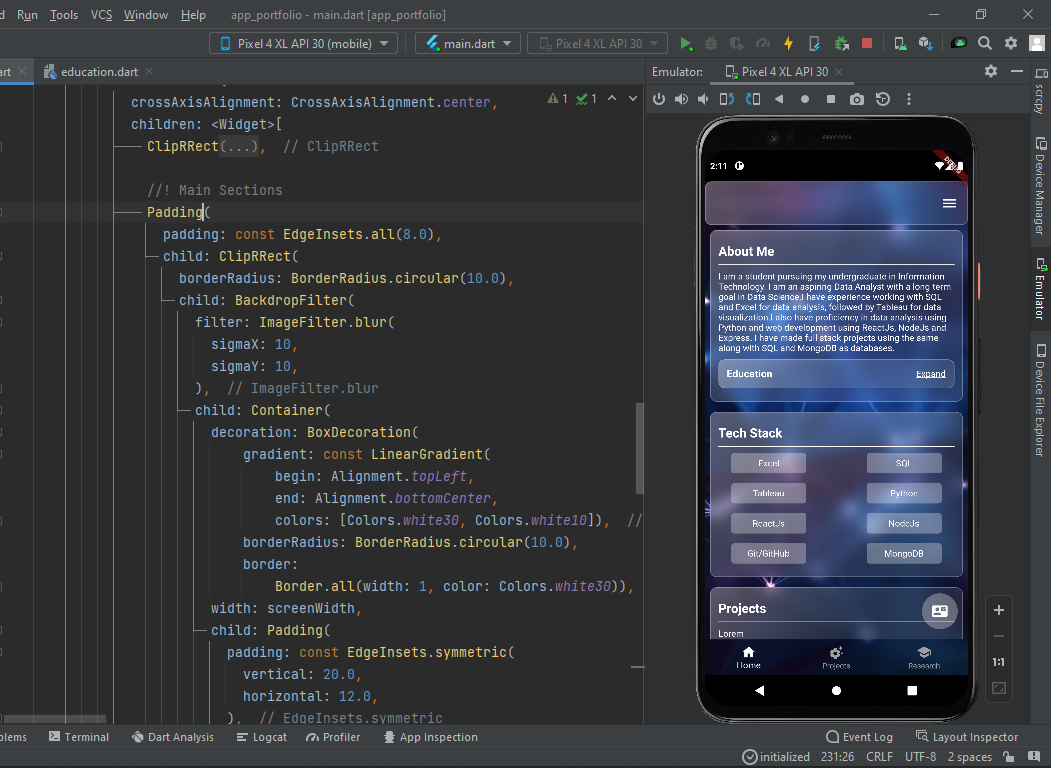
Lucas, 17Back-End project

Noor, 16Website development in Tilda
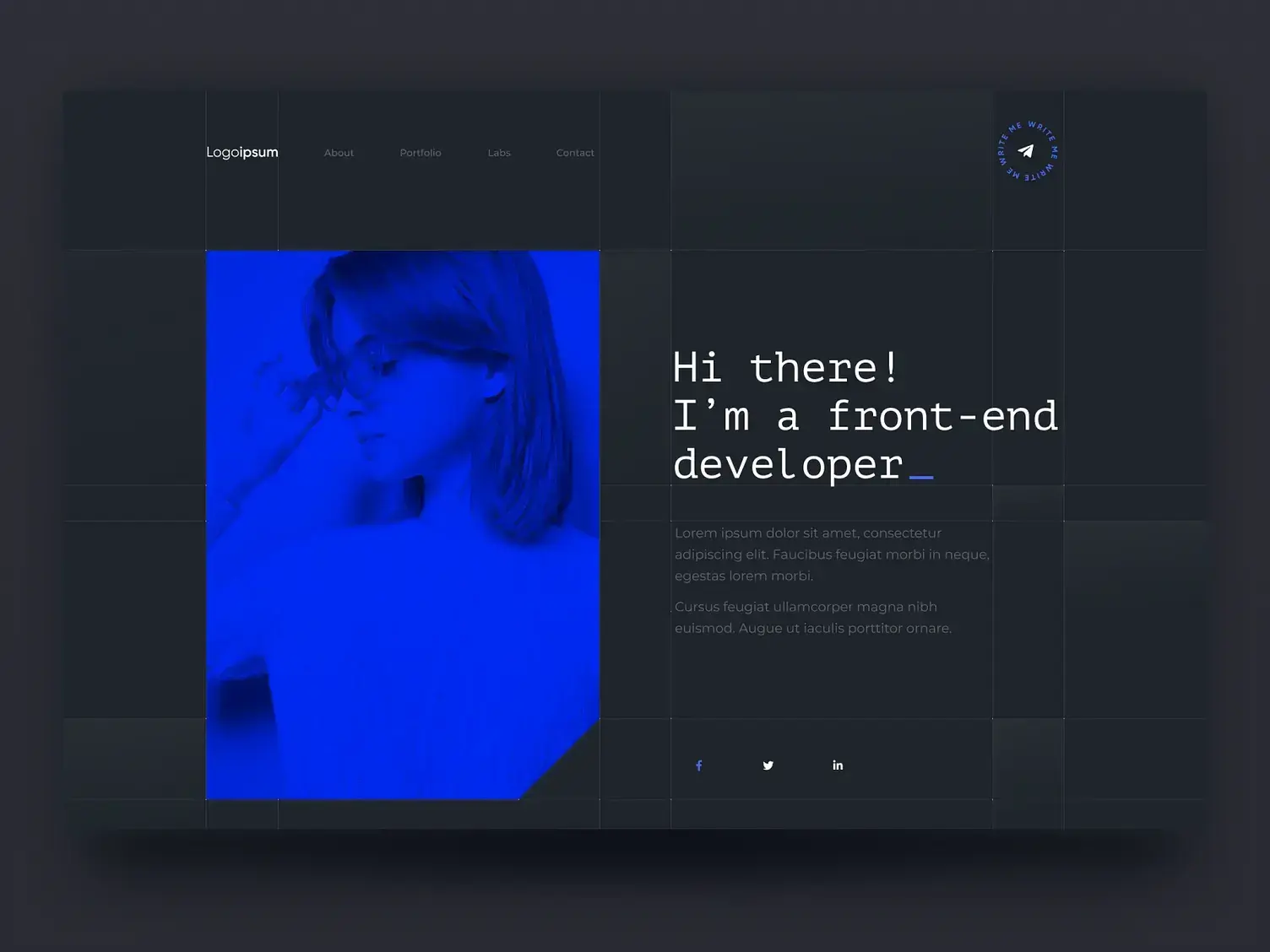
Emma, 16Front-End project

Sophie, 14Brandbook creation in Adobe Illustrator
Ask us about the current group · No lessons during school holidays
See modules and lesson dates →Good to know
Choose the package that works best for your family. The more lessons you book, the lower the price per lesson.
Choose your package
By signing up you accept our Terms and Conditions.
A module is 12 weekly lessons over three months. 4 lessons cost 165 EUR (495 EUR for 12 lessons). Paying a whole module in one go lowers the price per lesson.
The questions parents ask us most often.
Impact Academies Ghent offers technology courses for children and teenagers aged 4-17. The programme is divided into age-appropriate levels, from LEGO® Little Engineers for the youngest children to IT-Expert for teenagers.
We recommend a course based on your child’s age, experience and interests. Whether they enjoy games, robotics, design, artificial intelligence or programming, we will help you find the most suitable group.
No. Beginners are welcome. Children with previous experience can join a more advanced group after we assess their current knowledge and interests.
Depending on their age and course, students explore coding, robotics, game development, artificial intelligence, web development, graphic design, 3D modelling and digital literacy. They also develop communication, teamwork, creativity and presentation skills.
Our lessons are practical and project-based. Children learn by creating their own games, animations, websites, applications, robots and digital projects, not simply by listening to theory.
Classes are taught in both Dutch and English. English is especially important in technology, so children naturally develop their language skills while learning IT. At the same time, every child can ask questions and receive support in whichever language feels most comfortable.
Classes take place once a week, and each lesson lasts two hours. The exact day and time depend on the group you choose. There are no lessons during the Flemish school holidays.
Our groups are small: a maximum of 8 or 10 children, depending on the group, so every child gets support and personal attention.
All equipment needed for the chosen course is included in the price, including laptops, tablets, robots and LEGO®.
We are very aware of children’s screen time, and this is exactly why we created these courses: to help children learn how to build with technology, not just consume it. Lessons combine focused computer work with teamwork, creative exercises, presentations, energising activities and other screen-free moments.
Yes, you can book a trial lesson so your child can meet the teacher and future classmates, explore what we do, and see how they can create their own project using technology.
Yes, joining after a course has started is possible. Contact us so we can evaluate the options and find the most suitable group for your child.
Parents and children have access to their own online account. Children can view study materials and homework and track their projects, while parents can follow their child’s progress.
Please let us know as early as possible. We will reschedule the lesson, or we add the missed lesson to your package. For example, if your child misses one of the 12 lessons of a module, you get one extra lesson in the next module.
Please contact us before registration and tell us about any learning, health or accessibility needs that may affect participation. We will discuss what support may reasonably be provided and whether the selected group is suitable.
Leave your details and we will get back to you by phone, WhatsApp or email to answer your questions and help you choose. We can also book a trial lesson for your child.
We use your details only to answer your questions. Privacy policy.